 AI ADOPTION SERVICES
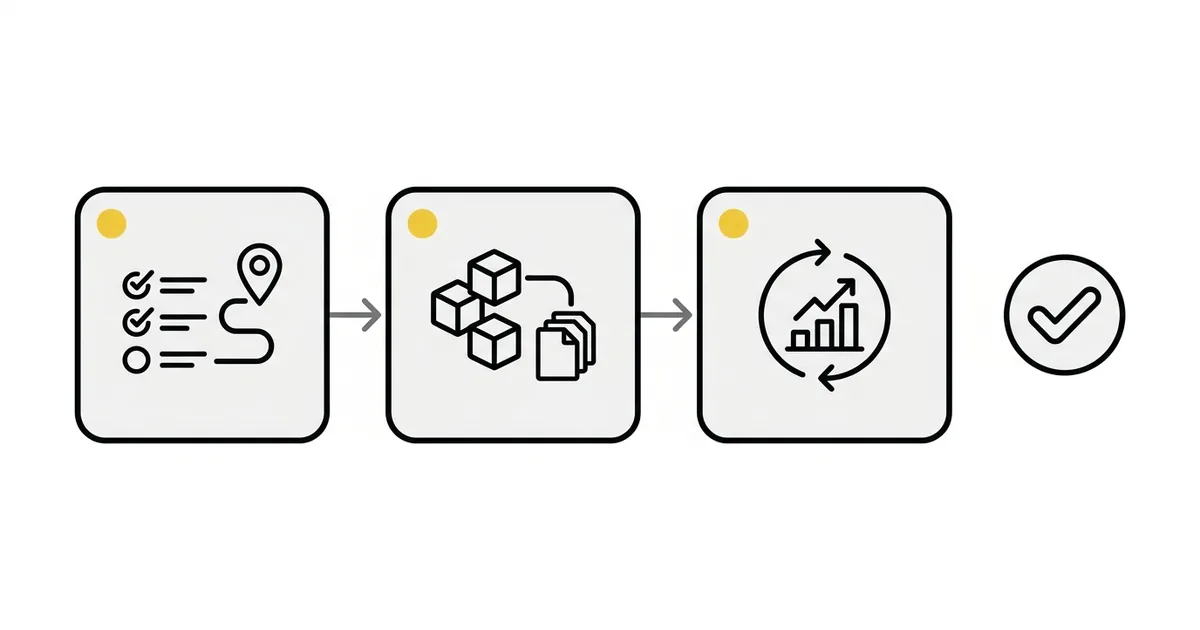
More than half of U.S. employees now use AI at work, but fewer than a third use it more than a few times a week, and only about one in four says their company has explained how it plans to use it.1 Most companies are paying for access. Far fewer have changed how the work gets done.
That gap between having AI and using it is what AI adoption services exist to close. The work is deciding where AI helps first, connecting it to your own data and files, setting the rules for what it may do, training your team, and keeping it improving, with a named person accountable for every result. This article explains what that involves, using public research and what we have learned running AI inside a consulting company, and shows how our approach works if you want help.
If you would rather skip to the practical step, a free 30-minute Strategy Call with an AI adoption specialist ends with the first two or three workflows worth automating in your business.
01. Why AI at work stalls after the licence
Access is not adoption.
As of August 2026, 53% of U.S. employees use AI in their role a few times a year or more, 32% use it a few times a week or more, and 16% use it daily. Gallup also found that 49% say their organization has integrated AI tools, yet only 26% say it has communicated a clear plan for using them.1 As Gallup puts it, implementation does not guarantee use. If you have paid for licences and watched the usage report stay flat, you are in the majority.
Companies are early, and unevenly so.
In the United States, 19.8% of businesses reported using AI in any business function in the two weeks to early May 2026.2 In Canada, 19.2% had used AI over the previous 12 months by the second quarter of 2026. Plans to use it over the next 12 months are highest in professional, scientific and technical services (54.8%) and finance and insurance (35.5%), and in construction they have risen from 3.2% to 18.3% in two years.3
Does this sound familiar?
The details differ from company to company, but the pattern does not:
- Licences were bought and few people use them.
- Your owner or board wants an AI plan and you do not yet have one.
- Slow, knowledge-heavy work such as estimating, reporting and month-end still runs by hand.
- One senior person is the bottleneck, and everything waits for them.
- Data and security worries mean nothing moves.
What separates the companies that get results. In McKinsey's 2026 survey, 80% of respondents say AI has improved their own productivity, but only 37% attribute any EBIT impact to it. The roughly 6% of respondents who are high performers stand out for how they work: nearly three quarters fundamentally redesigned workflows, against about a quarter of everyone else.4
Mid-market companies look similar. A June 2026 survey by the managed services provider Netrio found that 82% of 401 U.S. IT leaders have AI in production somewhere or in widespread use, while only 26% say it is scaled and governed enterprise-wide.5 In preliminary research from MIT's NANDA initiative, only about 5% of integrated enterprise AI pilots were extracting millions in value, with the authors pointing to approach, not model quality, as the dividing line.6
The pattern is consistent. People try a licensed tool a few times, get generic answers, and go back to doing the work by hand. The tool is rarely the problem. Nobody connected it to the company's own data, files and way of working, and nobody decided who checks the output.
02. What AI adoption services are, in plain terms
What are AI adoption services? They are the work of getting AI into daily use at a company: deciding where it helps, connecting it to your own data and files, setting the rules for what it may do, training the team, and keeping it improving. A person stays accountable for every output.
The work is organized as three jobs, repeated in order. Plan decides where AI helps first and sets the rules. Build puts AI to work on your own files and systems. Run keeps it used and improving.
What it is not. It is not tool resale, a long strategy deck, or a platform you rent. It runs on your own AI account, with your data and your licences, and it starts with one workflow and a phased plan.
03. What running AI in our own work and with clients taught us
Some of these lessons come from running Houseblend on AI agents, which are pieces of software that do a part of the work on their own while a person reviews the result, and some from client engagements. We sell what we use every day, and a few of the lessons were not the ones we expected.
A confidence score is not calibration.
Our scoping assistant drafts solution options on client tickets, each with a risk level, an effort estimate, a confidence percentage and a list of what it cannot know from a transcript and a person must check in the live account. On a recent fee-automation ticket it estimated 22 hours of delivery. A consultant wrote into the ticket that it over-estimates advisory and design work, and that the real figure was closer to 12 to 16.
The correction lives in the ticket, not in someone's head. If your estimators will use AI, treat its output as a first draft with a known bias, and log the bias where the next person will see it.
Give the AI its own account, with the least access that works.
Before AI reads anything in a client's finance system, it gets a dedicated account limited to the records it actually needs, with no interactive login, and a named person at the client confirms the permission scope first. On one engagement that step is deliberately parked until the client confirms, because the recognised risk is over-permissioning when it is rushed. The tempting shortcut is to point the AI at an administrator's login, which cannot be audited or undone. This is why connections to company systems start read-only: it is sequencing, not timidity.
Rules first, AI second, for anything that touches the books.
In a document-capture build for a finance team, financial documents arrive by email, and the design rule was a deterministic pipeline with AI layered on top, not the other way round. Hard cases such as credit memos, exchange rates and volume discounts are tested at the edges before anything reaches the general ledger. Finance teams reject AI on trust before they reject it on accuracy, and constraining the model to an enhancement role answers the trust objection directly.
AI inherits whatever is wrong with your data.
A recent reporting project we ran surfaced 655 site records where about 412 were expected. The reporting did not create the problem, it made duplicated master data impossible to ignore, and reconciling it became the first workstream. Any AI that answered from those records would have inherited the same error and sounded confident doing it.
Your AI policy will show up in your partner's contract.
One client recently set explicit rules for how AI may touch its data: data stays in its environment or is anonymized before it goes to any outside tool, approved tools are named, and licences are capped. Finance leaders are being asked to approve AI use without a template. Decide data residency, anonymization, approved tools and who owns what AI produces before a partner or a team member starts, not after.
The rule underneath all five is the same.
AI drafts and does the work, and nothing goes out or goes live without someone's sign-off. In policy work, every task is sorted into one of three groups:
- Tasks AI drafts for a person to finish.
- Tasks AI may run on its own.
- Tasks that always need a person.
You decide which task goes in which group. Recognised frameworks ask for the same thing: NIST's AI Risk Management Framework calls for policies that define roles and responsibilities for human and AI oversight, and for human oversight processes that are defined, assessed and documented.7
04. The ten services: Plan, Build, Run
The ten services fall into three groups. The full list is on the AI services page.
Plan (three services).
- AI assessment and roadmap shows you where your team loses time, which two or three workflows to hand to AI first, and what each one takes.
- AI policy and governance sets which tasks AI drafts, which it runs, which always need a person, and where your data may go, backed by a security and privacy review. Without rules, people improvise: in a survey of 2,000 U.S. and UK workers at larger companies by the security vendor BlackFog, 49% said they use AI tools their employer has not sanctioned,8 and in the Netrio survey 42% of IT leaders reported a confirmed AI-related security incident or exposure in the past year.5 See writing your first AI policy.
- Data readiness for AI cleans up and structures your data so AI answers from numbers your people already trust. Gartner predicts that through 2026 organizations will abandon 60% of AI projects unsupported by AI-ready data.9 Here is what data readiness for AI involves.
Build (five services).
- Custom AI agents and workflows are built on your own AI account around your own files and process.
- A company knowledge assistant answers only from your own documents, such as policies, procedures, contracts, past proposals and specs. It cites the page it used, and says so when your documents do not cover the question. We use one daily at Houseblend. Here is what a company knowledge assistant is.
- Connecting AI to company systems such as your ERP, CRM, email and project tools starts read-only, with answers checked against known numbers before anyone relies on them. Here is why we connect AI read-only first.
- Document and reporting automation generates status reports, proposals, guides and test plans from your templates, and a person reviews them.
- AI tool rollout sets up the AI tools you already pay for, with the workspace, connections to your systems, permissions and usage limits.
Run (two services).
- Training and adoption gives your team role-based training and guides so they use what was built.
- Ongoing support is a monthly retainer that works like a subscription: a set number of hours each month to monitor and tune agents, add new workflows, and watch AI usage and cost.
05. What it looks like: two workflows, typically
Here are two examples from the segments we start with. The time savings are our estimates from typical jobs, not measured yet.
A tender estimate for a mechanical contractor. An estimator normally reads the drawings and specifications, does the takeoff in a spreadsheet, prices the job, checks code requirements and writes the proposal. That takes one to two days for a mid-size tender.
With agents producing the takeoff, pricing, code requirements and a draft proposal in the contractor's own spreadsheet layout, a draft is typically ready in under 30 minutes. The estimator reviews and signs off, for about two to three hours in total. Typically that saves about 75 to 85% per tender, so the same estimators can bid on more work. Given the calibration lesson above, the review step is the point, not a formality.
A weekly client status report for a professional services firm. We run this one at Houseblend. A consultant usually spends 30 to 60 minutes per client each week pulling hours from time tracking and progress from tickets, then writing and emailing the update.
Scheduled agents now pull the hours and ticket activity, build the hours-by-ticket summary, draft the update and save it as an email draft that a person sends. Anything ambiguous is flagged, not written. The consultant reviews and sends, in about 10 minutes per client.
Typically that is 70 to 80% less time per report, which for a consultant with 10 clients is 3 to 8 hours back every week. How we run weekly client status reports with AI agents walks through the steps.
In both, a person signs off before anything goes out.
06. What is in it for your role
If you are an owner or CEO. You need an AI plan you can explain, and a clear answer when your board asks about it. Directors say the same thing about themselves: in PwC's 2026 directors survey, 71% named AI as the top skill their boards need to strengthen, and 82% rated the information they get on AI's link to risk and business performance as fair, poor or unavailable.10 A roadmap, written rules and a measured first workflow give you something concrete to bring to that conversation.
If you are a COO or head of operations. Your problem is capacity and the one person everything waits on. The McKinsey high performers above redesigned how work flows instead of adding a tool on top.4 In construction, a 2026 survey of more than 1,000 contractor leaders by the contractor software company ServiceTitan found 38% reporting measurable business impact from AI, with estimating (24%) and bid management (22%) among the first places it is applied, while only 20% operate on a single platform.11 Starting with the workflow that costs you the most hours, such as a tender estimate, is how you take the bottleneck off a senior person.
If you are a CFO or controller. You are asked to show AI is worth it, and to keep it from creating risk. Gartner's May 2026 finance research, from a March survey of 204 finance leaders, found that 66% of finance organizations that adopted AI reported greater efficiency and productivity as a top benefit, while 63% said implementation was slower than expected.12
Among accounting professionals, Intuit's 2026 survey of 725 found 88% using AI for at least one client service, but only 30% with AI fully embedded as their default and 54% using it situationally. The same survey found accountants lose an average of five hours a week moving, re-entering or reconciling data across disconnected systems.13 Connecting AI read-only to your systems, and checking every answer against known numbers such as the trial balance, is built for that gap.
07. How working together is set up
Start with a conversation. The free 30-minute Strategy Call is with an AI adoption specialist. You walk through where your team loses time, and you leave with the first two or three workflows worth automating. Book your free Strategy Call.
Then choose how to continue. Projects are billed on time and materials: an assessment, a build, a rollout. If you want ongoing help, a monthly retainer works like a subscription, with a set number of hours each month to run, tune and extend what was built.
Small and real first. You start with one workflow that hurts, make it work, then move to the next, as a phased plan. The aim is a working tool on one workflow in days, not a long strategy deck.
Who it fits. Owners and CEOs, COOs and heads of operations, and CFOs and controllers at mid-market companies. The first use cases are in professional services firms, construction and specialty contractors, and finance teams.
NetSuite work lives at houseblend.io.
Our NetSuite practice already delivers through a full agentic pipeline with a person signing off, and it runs from houseblend.io. If you run on NetSuite and want that, start there.
Where to read next. Is your data ready for AI? covers the first check in the Plan stage: what to look at in your files and systems before AI reads them.
This content may be AI-generated and may contain inaccuracies. It is not professional or legal advice. Verify independently before relying on it.
Sources
- 1. Gallup, Indicator: Artificial Intelligence↩↩↩
- 2. U.S. Census Bureau, Large Firms With at Least 20 Employees Biggest AI Users↩
- 3. Statistics Canada, Analysis on planned use of artificial intelligence by businesses in Canada, third quarter of 2026↩
- 4. McKinsey & Company, The state of AI in 2026: On the road to ROI↩↩
- 5. Netrio, Netrio Survey Finds Mid-Market AI Adoption Is Widespread, but Readiness and Governance Gaps Remain (Netrio is a managed service provider that sells AI advisory services)↩↩
- 6. MIT NANDA (Challapally, Pease, Raskar and Chari), The GenAI Divide: State of AI in Business 2025↩↩
- 7. National Institute of Standards and Technology, AI RMF Core↩
- 8. BlackFog, Shadow AI Threat Grows Inside Enterprises as BlackFog Research Finds 60% of Employees Would Take Risks to Meet Deadlines (BlackFog sells AI security products)↩
- 9. Gartner, Lack of AI-Ready Data Puts AI Projects at Risk (a prediction, not a survey result)↩
- 10. Bloomberg Law, Most Board Directors Say AI Skills Are Lacking, Survey Shows↩
- 11. Roofing Contractor, Contractor AI Adoption Surges in 2026, Report Finds (ServiceTitan sells contractor software)↩
- 12. Gartner, Gartner Says CFOs Must Stop Mistaking Finance AI Deployment for Value Creation↩
- 13. CPA Practice Advisor, The 2026 Accountant Technology Survey: Turning Data Revelations into a Firm of the Future (Intuit sells accounting software)↩